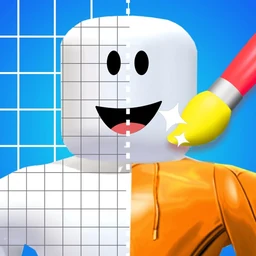
Skin Editor and Clothes Maker for Roblox
Skins & Avatars Clothes Maker is a mobile skin editor for Roblox that helps you design shirts, pants and complete avatar outfits. Start with ready-made templates, edit colors and layers, preview the result in 3D, then export the clothing image for upload through Roblox's official website.
Independent app for creating avatar clothing for use on Roblox. Not affiliated with or endorsed by Roblox Corporation.
Create Avatar Clothing for Roblox
Designing wearable clothing means putting artwork on the right region of a garment template. Get that wrong and the shirt wraps around the character in the wrong place. The editor opens the correct template for the garment you pick, with the guide regions already marked, so what you draw is what appears on the model.
Everything happens on the phone or tablet. There is no desktop step and no account connection: the app produces the clothing image, and you upload it yourself.
How the Mobile Skin Editor Works
Pick a garment type and the matching template opens. Draw with brush and fill tools, drop in a pattern and recolour it, or start from one of several hundred ready-made designs. Layers keep every element editable, so moving a logo or swapping a colour does not mean starting the piece again.
The four steps most people actually use are: choose the garment, edit the layers, check it in the 3D preview, then export. The preview is the step worth not skipping — it catches the mismatches that are invisible on a flat template.
The app works as a Roblox skin editor for mobile: choose a clothing template, create a shirt or pair of pants, preview the outfit in 3D and export the image.
Templates, Layers and 3D Preview
Several hundred templates ship with the app. They exist so that a finished result does not require drawing from scratch: pick something close, recolour it, change what you care about. That is the fastest route, and it is why the app assumes no drawing skill.
Finished looks are saved to a personal library, so an outfit can be reworked later rather than rebuilt.
Exporting Shirts and Pants for Roblox
Export produces a standard image file at the proportions Roblox expects. To be exact about the boundary: designing and exporting happen in the app; uploading happens on the platform, through its own website, under your own account.
That also means the platform's rules apply to the upload — its terms, its creator requirements, any fees and its moderation. If an upload is rejected, first compare the file and your account with Roblox's current creator requirements. If the exported image appears malformed, contact Pixelvoid support.
Available on iPhone, iPad and Android
One page covers every platform. There are no separate iPhone, iPad or Android versions of this page, because the app is the same on each and the differences are small enough to state in a table.
Features
- Hundreds of ready-made clothing and outfit templates
- Layer-based editor: draw, fill, recolour, stack elements
- Shirts, pants, jackets and full-body looks
- Correctly proportioned template export
- 3D preview of the design on a character model
- Save your designs to a personal library on the device
For what a clothing image has to satisfy before it can be published, and what it costs, see Roblox's own classic clothing documentation. Those rules are theirs and they change; we link rather than restate them.
Screenshots
The current App Store listing images, described below each one. The store listings carry the full set.


Specifications and store facts
Machine-read from the official listings on 13 August 2026, not written by hand.
| Publisher | PIXELVOID GAMES LTD |
|---|---|
| Product type | Creative tool |
| App Store category | Games |
| Google Play category | Tools |
| Platforms | iPhone, iPad, Android phone, Android tablet |
| Minimum iOS | iOS 15.0 |
| App Store size | 230.4 MB |
| Price | Free to download |
| Google Play downloads | 10M+ |
| In-app purchases | Yes |
| Advertising | Contains ads |
| Age rating | 4+ (Apple US listing) |
| First released | 2022-07-19 |
| iOS version | 1.10 |
| iOS last updated | 2026-05-16 |
| Android last updated | 2026-07-12 |
Compatibility
- iPhone
- iPad
- Android phone
- Android tablet
Platform differences are listed in the table, not split across separate pages.
What changed in iOS 1.10
- Updated content
- Improved UX/UI
- Fixed bugs and improved stability
Release notes as published on the App Store listing, version 1.10, 2026-05-16. Android is versioned and updated separately.
Last reviewed 2026-08-13 · store data read 13 August 2026
Compatibility and Trademark Notice
Roblox is a trademark of Roblox Corporation. Skins & Avatars Clothes Maker is developed and published independently by PIXELVOID GAMES LTD and is not affiliated with, sponsored by, authorized by, or endorsed by Roblox Corporation. References to Roblox are used only to explain the app's intended use with user-created avatar clothing. Roblox Corporation does not provide support for this app and is not responsible for its operation. Any content uploaded to Roblox is subject to Roblox's own Terms of Use, creator requirements, fees, and moderation.
Questions About the Skin Editor
Can I make Roblox clothes on my phone?
Does the app upload the clothing for me?
Can I make Roblox shirts, pants and complete outfits?
Do I need any drawing skill?
Is it free?
Does it work without an internet connection?
Is this an official Roblox app?
More from Pixelvoid Games
Every title we publish, one click away.
Need help with Skins & Avatars Clothes Maker?
Player support, bug reports and refund questions all go to the same place.